Sovrn is making it easy to help your audience and followers shop smarter. With price comparison pages, every Sovrn short link can automatically show your audience multiple options to buy the same product, featuring real-time prices from merchants that have the item in stock.
No code. No extra setup. Just a better experience for your audience, and more revenue opportunities for you.
Introducing Price Comparison Pages
Price Comparison Pages are dynamic landing pages that appear after someone clicks a Sovrn short link. Instead of immediately sending readers to a single merchant, they’ll see:
- The original merchant you linked to (always shown first for consistency).
- A list of additional retailers selling the same product.
- Real-time prices, availability, and purchase options.
- Fully monetized merchant links across the entire page.
This gives your audience more flexibility and helps them find the best deal, while helping you increase conversions and earn more from every click.
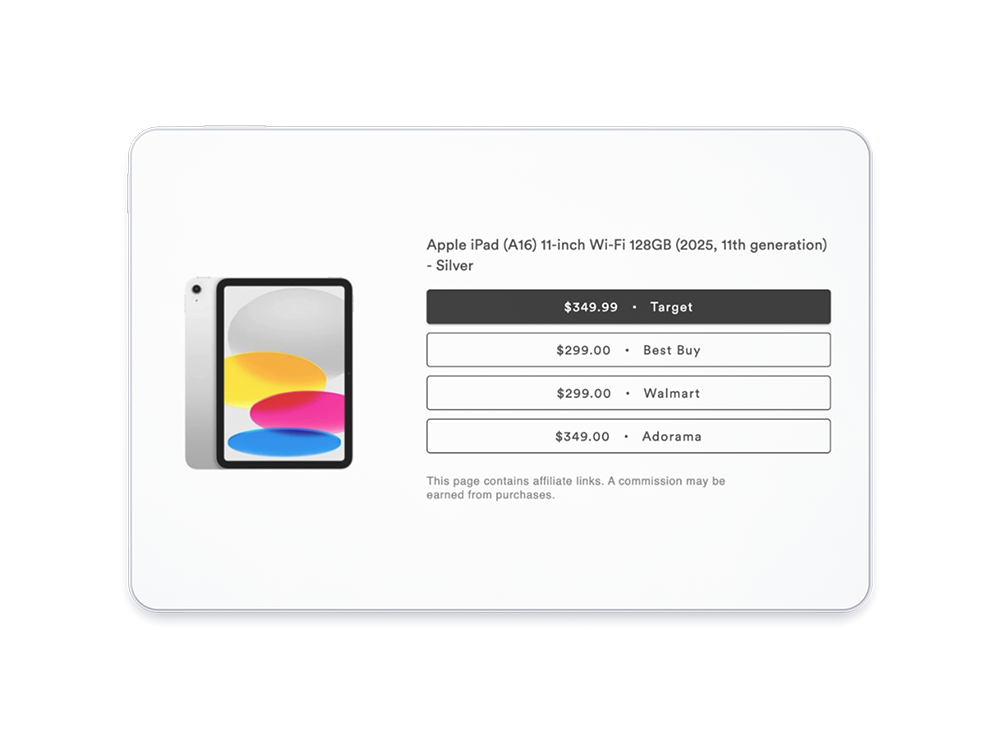
Product listings are automatically updated in real time, so the price comparison module will always show the latest price and only merchants with the product in stock. And every merchant link on the price comparison page is monetized through Sovrn, so you’ll never miss out on potential earnings. You can get more details on the Price Comparison Pages tool for short links in this Knowledge Base article.
More ways to use price comparisons
In today’s busy world, it’s important to automate as much of your workflow process as possible. Sovrn’s new Price Comparison Pages tool is one of many convenient ways to leverage price comparisons in Sovrn Commerce. You can also use the tool to help maximize your affiliate earnings by preventing non-monetized clicks before they happen.
Other helpful tools include customizable templates in the Sovrn Commerce platform, an easy-to-use Price Comparison API, and automated product recommendations designed to scale with your content.
Ready to try Price Comparison Pages?
You can enable Price Comparison Pages for short links directly in the Sovrn Commerce Platform. Here’s how:
- Simply log in to your Sovrn Commerce account.
- Go to Create links and click Create new link.
- Toggle the Price comparison page option to the “on” position.
- Create your short link and proceed as usual.
Every short link you create with the toggle turned on will automatically generate a price comparison page. It even works for previously created Sovrn short links. You can enable price comparisons for existing links without recreating them or updating your content.
Feel free to reach out to our support team with any questions.
If you don’t have a Sovrn account, you can sign up here. It only takes a few clicks, and once you’re approved, you can start earning right away.